Bluehost AI Builder Review: A Website From One Sentence
November 25, 2026 · 9 min read · Sponsored by Bluehost
Sponsored by Bluehost. This post is a paid partnership with Bluehost, and we earn a commission if you buy a Bluehost plan through the links in it. Everything below is what happened when we built a real site with Bluehost AI Builder on 25 November 2026, on its free plan, with the screenshots we took along the way.
Bluehost AI Builder (we earn a commission) turns a description of a website into a working one: you describe the site in a sentence, refine it by chatting, and publish it. We wanted to see how much of that holds up on a real job, so we gave it one: a one-page site for ZeroServer.tools itself, the collection of browser tools you are reading this on. We kept count of the time, the credits and every change it made, including the ones we did not ask for.
The short version: one sentence produced a complete, sensible one-page site in about two and a half minutes, for one credit. It needed one chat edit to fix its links and to take out a form we had not asked for. Publishing it to a free Bluehost address took one click and no credits.
The one sentence
AI Builder starts with a single box that asks you to describe your site or app. This is everything we typed:
A one-page website for ZeroServer.tools, a free collection of 990 browser tools that never upload your data, with a short intro, six featured tools (JSON formatter, image compressor, password generator, ZIP extractor, online notepad and typing test), a section on why nothing is uploaded, and a button that opens zeroserver.tools.
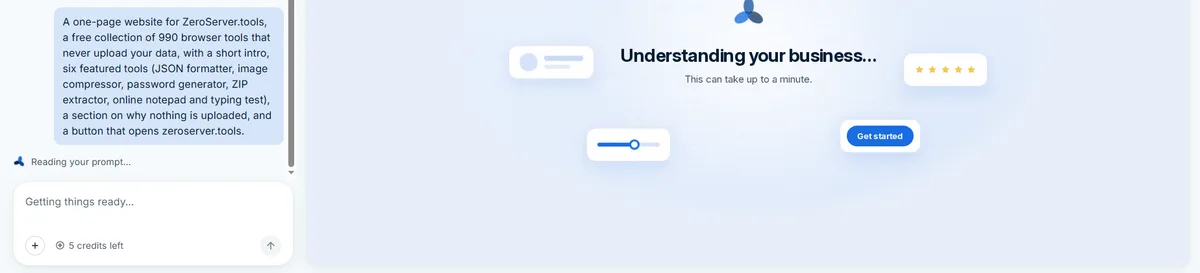
The editor read the prompt first ("Understanding your business... This can take up to a minute"), then built the page and said when it was done. From pressing Send to its message that the site was ready took 2 minutes 26 seconds by our clock, and the credit counter went from 5 to 4.
What it built
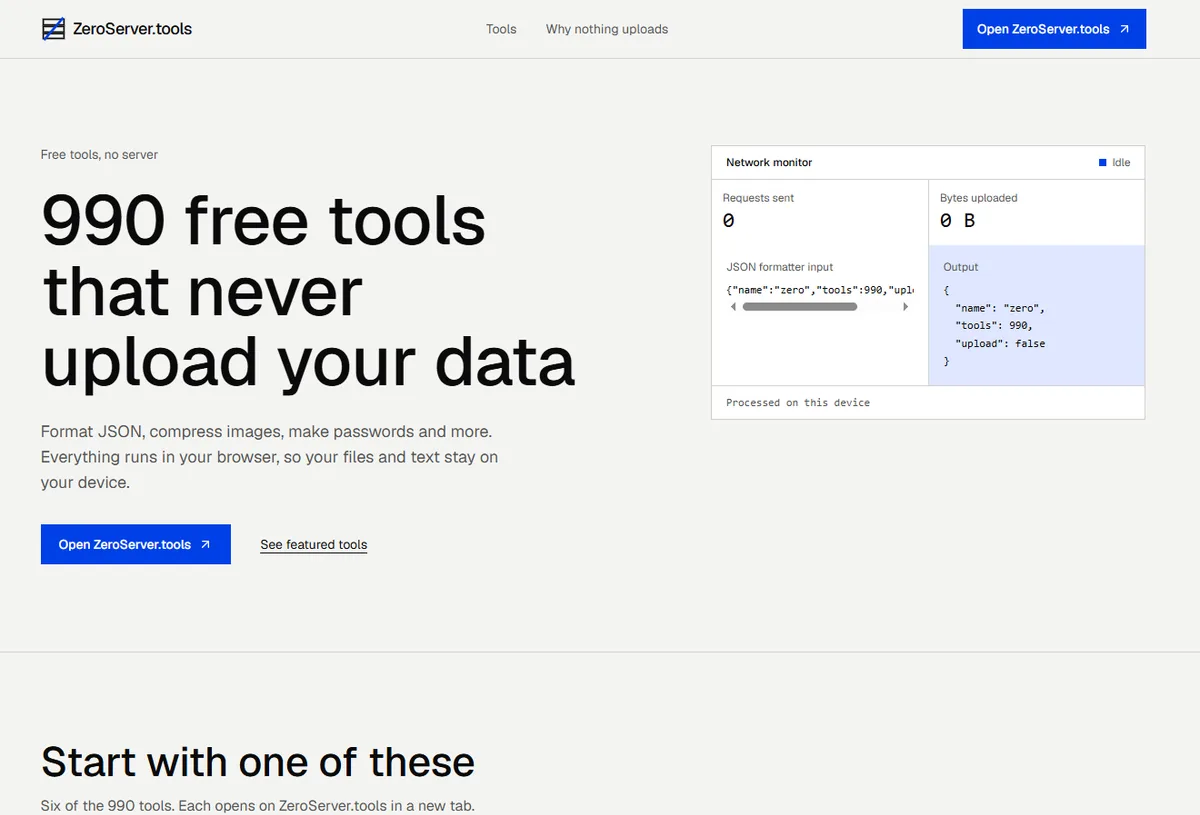
It was better than a template with our name dropped in. The headline read "990 free tools that never upload your data", and beside it sat a small panel styled as a network monitor, showing 0 requests sent and 0 B uploaded next to a sample of JSON formatted on the spot. That panel illustrates the site's whole point, we did not ask for it, and we would have kept it. Below it came the six tools, each with a one-line description that matched what the tool really does: "Shrink JPG, PNG and WebP in your browser" for the image compressor is right, for example. Then a "Why nothing is uploaded" section in three short points, a closing call to open the tools, and a footer. AI Builder described the look itself as "a precise Swiss blue".
Three things needed a second look.
Every tool card linked to the home page. All six cards opened zeroserver.tools rather than the tool each one described. That is fair enough: our sentence named the tools but gave no addresses, and it did not invent any.
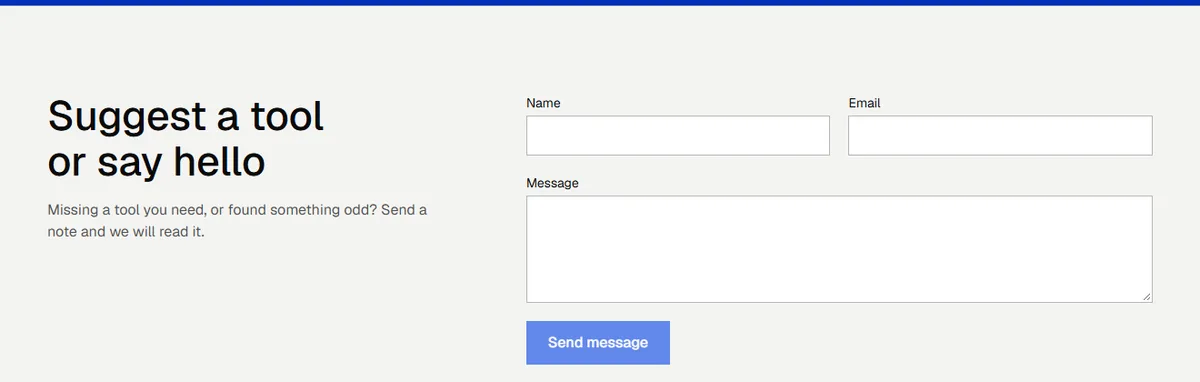
It added a contact form we had not asked for. At the bottom of the page it put a "Suggest a tool or say hello" section with name, email and message fields, whose messages arrive in the site's dashboard in the Bluehost account. On most small-business sites a contact form is welcome. On a page whose message is that nothing you type is sent anywhere, a form that sends what you type says the opposite.
The preview pane stayed empty for us. AI Builder said so itself: "I couldn't view the page in the preview." The Open in new tab button beside the preview's address bar opened the working site straight away, so that is the button to reach for if it happens to you.
One edit in plain English
A change is just another message in the same chat. We sent one with both fixes in it: the address of each of the six tool pages, and a request to remove the form, with the reason that a form sends data to a server while this page says nothing is uploaded, and to put a Contact link to our contact page in the footer instead.
It made all three changes within five minutes, for one more credit, from 4 to 3. Then it told us something we liked. Its own site check wants every page to offer a form or an email link, it had noticed that we removed the form on purpose, and it left our choice alone, offering to put a form or an email link back if we wanted one.
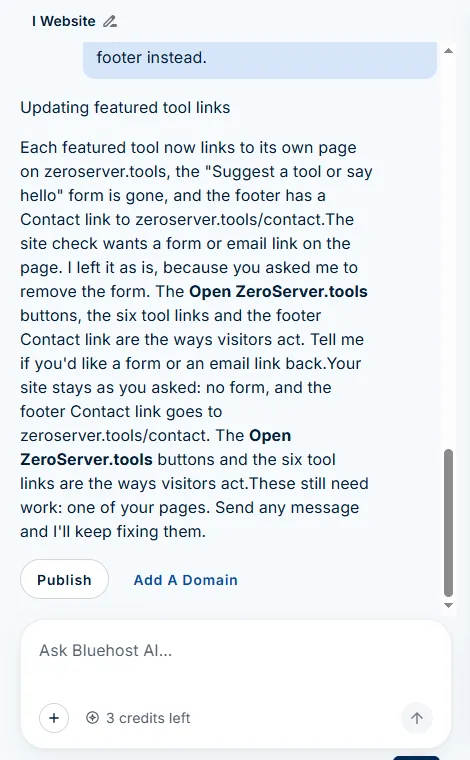
Before and after, the page looks almost the same, and that is the point: the form is gone, every card now opens the tool it names (the JSON formatter, the online notepad and the rest), and the footer has a Contact link. We checked each link on the published page.
Publishing on the free plan
The Publish button opens a small panel with three choices: buy a domain, connect a domain, or publish now to a free Bluehost address, which for us was app-7da0a.540ad.app.bluehost.ai. The free plan publishes on a Bluehost subdomain like that one, and connecting your own domain needs a paid plan; paid plans from $20/mo. We published to the free address. It took one click, asked for no card, and used no credits: the counter still read 3 afterwards.
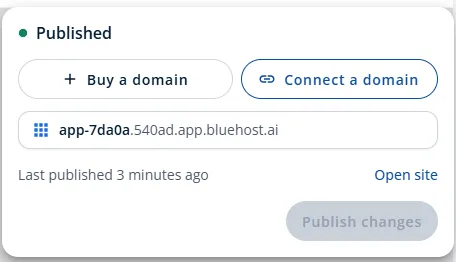
The published site is the version with the edit in it. We noticed one more thing there: Cloudflare sits in front of both the preview and the published site. Each opened straight away the first time, but the preview asked us to verify that we were human the first time we reloaded it, and the published site did the same on our third load in about a minute, each load at a different screen size. We left it there rather than test further.
On a phone
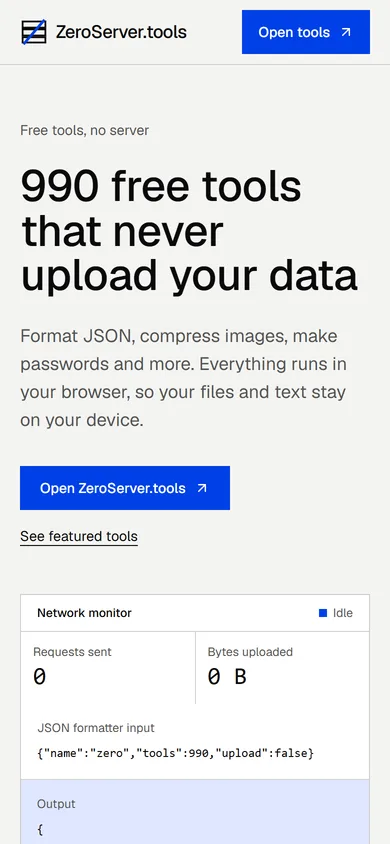
The page adapts to a phone's width on its own. The button in the header shortens to "Open tools", the headline wraps onto four lines, and the network-monitor panel moves below the intro instead of squeezing in beside it. The editor has its own switch to a mobile view; with our preview pane empty, we checked the published page at a phone's width instead. At a desktop width, the top of the page is as in the second screenshot.
How the credits work
Building and editing used credits; publishing did not. Our free account showed 5 credits when we started. The first build used one, the edit used one, and publishing used none, so we finished with 3, enough for three more edits of the same size. Bluehost says that hosting never uses building credits and that a live site stays up at zero credits. We still had credits left, so that part we have not tested ourselves.
That makes one habit worth more than any other: put everything you already know into the first sentence. The six addresses we sent in the edit would have cost nothing extra in the first message, and the form would have been easy to rule out there too.
What we would tell a friend
It is good at:
- turning one well-written sentence into a complete page, with sensible sections and copy that matched our product;
- taking changes in plain English, and saying exactly what it changed;
- publishing to a free address in one click, with no card.
Before you publish, check:
- every link, because it cannot know the addresses you have not given it;
- anything it adds on its own, such as a form, against what the page is for;
- the preview, and if the pane stays empty, open the site in a new tab.
It is not the tool for selling products online; for a shop, Bluehost points you to its separate Bluehost AI Store. And if you need your own domain from day one, that means a paid plan.
Try it
Bluehost AI Builder is $0 to start, no credit card (we earn a commission if you later buy a plan). If you have a small site in mind, write the sentence first: what the site is, who it is for, the sections you want, and the addresses its buttons should open. Ours took about two and a half minutes to become a website, and one edit to become the one we wanted.
Try these free tools
Free & private — all tools run in your browser, nothing uploaded.